Context
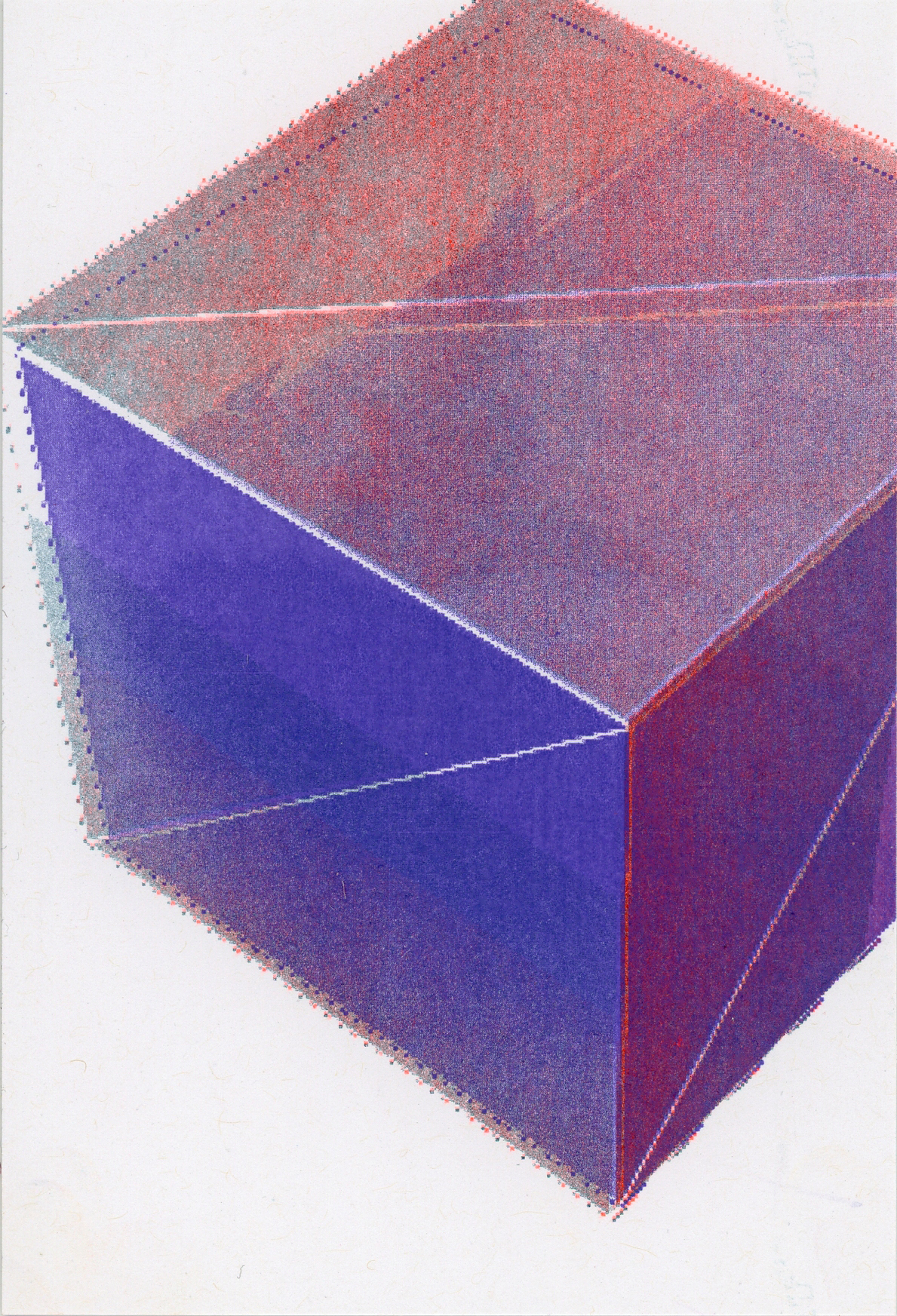
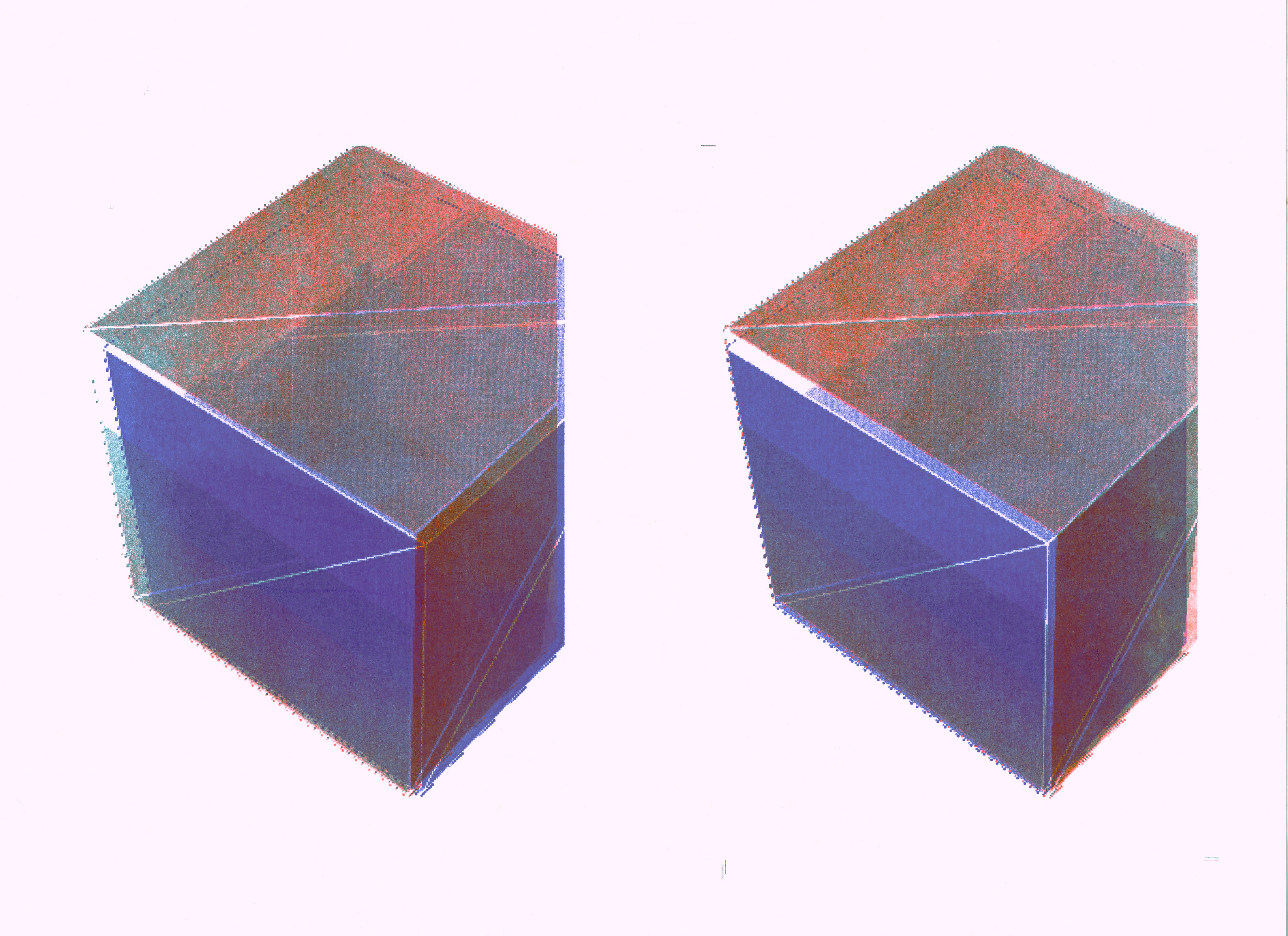
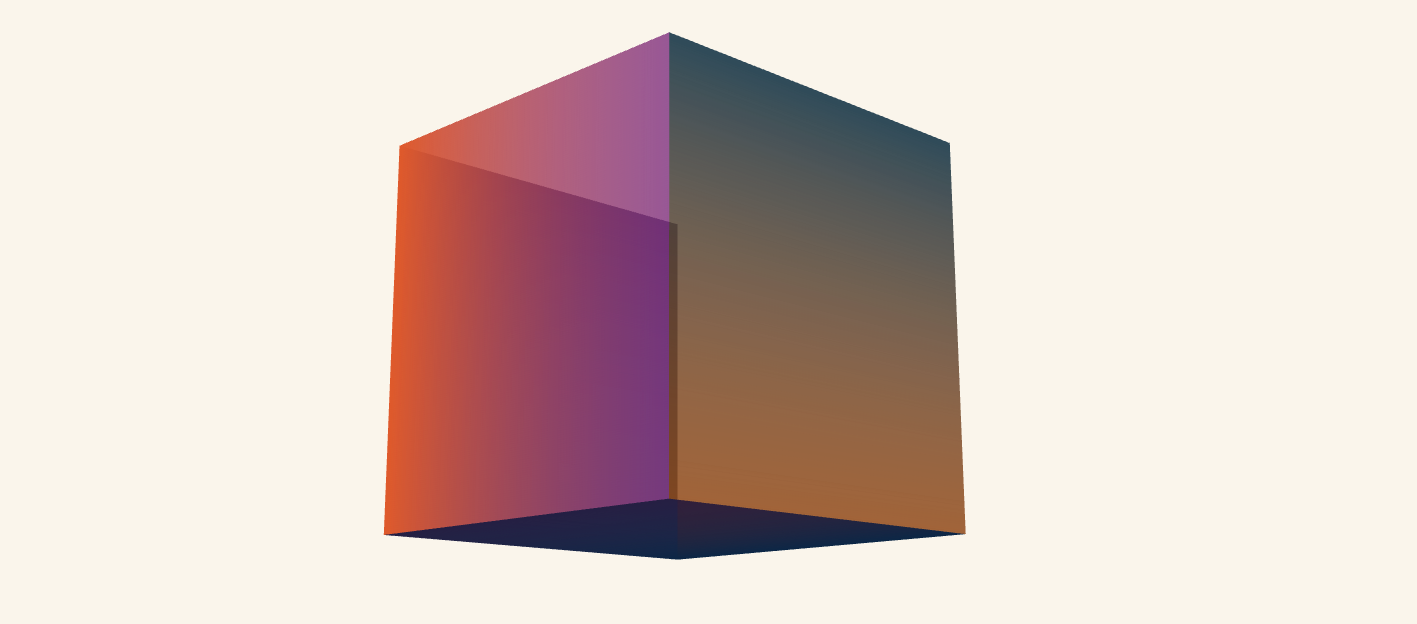
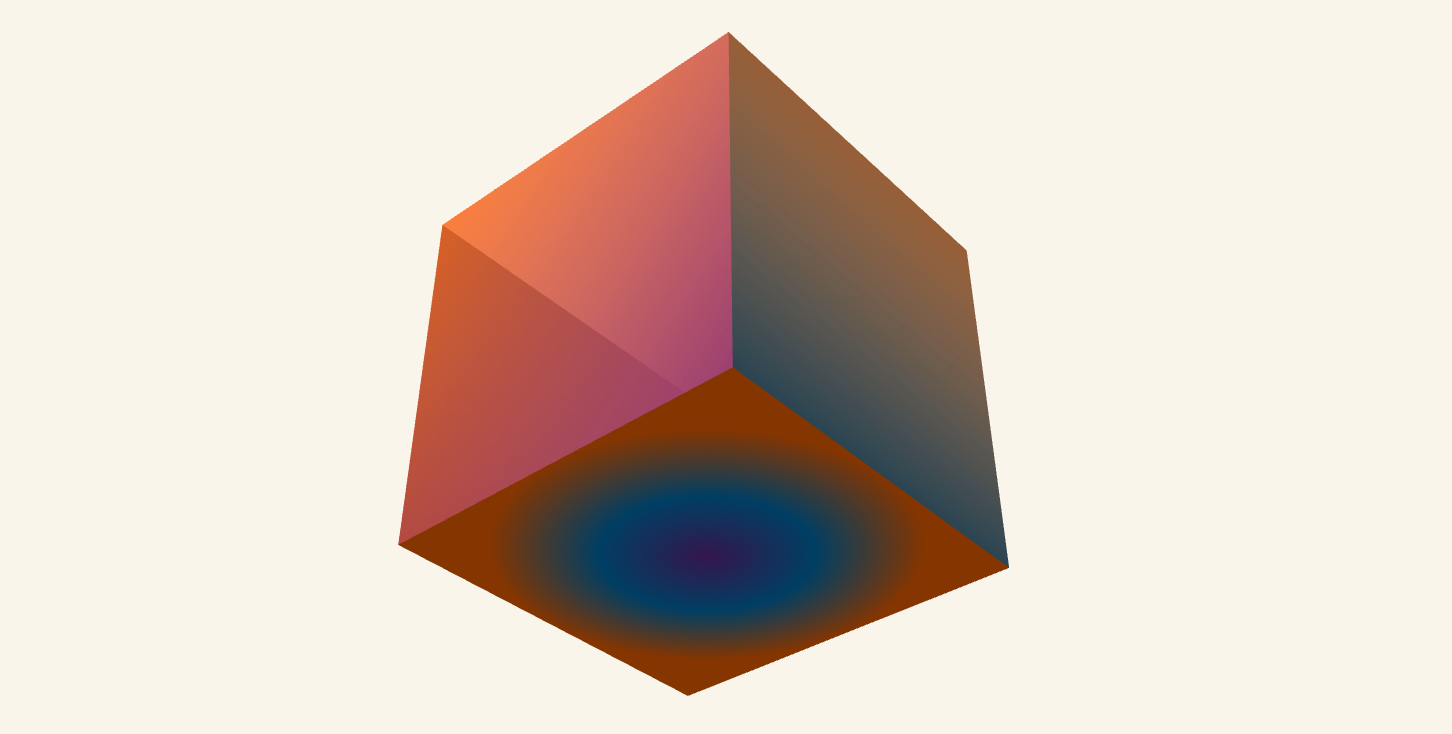
As an attempt to try more color mixing and gradation in riso, I tried to directly capture 3D render with buffer texture in p5.js, and also separate colors in the same program using p5.riso.
Code
Global Variables:
purple, aqua, orange: Riso color layer objects (from p5.riso library)cubeGraphics[]: Array of 6 graphics buffers (one per cube face)rotationAngle: Controls 3D rotationautoRotate: Toggle for automatic/manual rotationcubeSize: Dimension of cube faces
Setup:
- Uses WEBGL mode for 3D rendering
- Initializes Riso color layers for export
- Creates separate graphics buffers for each face
  // Create graphics buffers for each cube face
  for (let i = 0; i < 6; i++) {
    cubeGraphics[i] = createGraphics(cubeSize, cubeSize);
  }

  renderCubeFaces();  // Generate textures
}
**Draw (~60fps, every frame): **
function draw() {
  background(250, 245, 235); // Warm white/cream background

  ambientLight(100);                         // Soft base lighting (no direction)
  directionalLight(255, 255, 255, 0.5, 0.5, -1); // White light from front-right

  if (autoRotate) rotationAngle += 0.01;    // Slowly increment angle

  rotateX(rotationAngle * 0.7); // Tilt on X (slower)
  rotateY(rotationAngle);       // Spin on Y (faster)

  drawTexturedCube(); // Render the 6-faced cube
}
Function1: renderCubeFaces()
This defines which gradient style goes on each of the 6 faces:
| Face | Index | Gradient Type | Colors |
|---|---|---|---|
| Front | 0 | Vertical | Purple → Aqua |
| Back | 1 | Vertical | Aqua → Orange |
| Right | 2 | Horizontal | Orange → Purple |
| Left | 3 | Diagonal | Purple + Orange |
| Top | 4 | Radial | Purple → Aqua → Orange |
| Bottom | 5 | Horizontal | Aqua → Purple |
Function 2: createGradientFace()
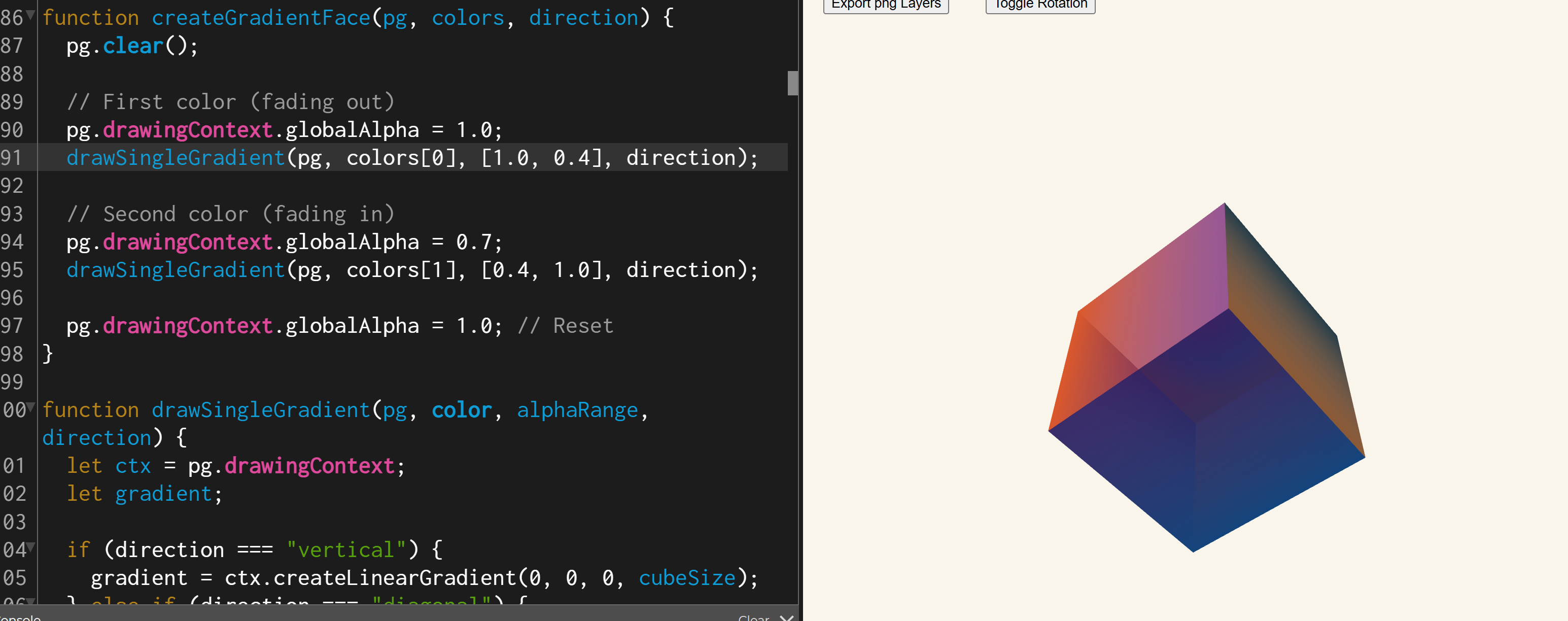
Currently using two semi-transparent CSS gradients on top of each other using the Canvas 2D API.
function createGradientFace(pg, colors, direction) {
  pg.clear();
  // First color at full opacity, fading out (1.0 → 0.4)
  pg.drawingContext.globalAlpha = 1.0;
  drawSingleGradient(pg, colors[0], [1.0, 0.4], direction);

  // Second color at 70% opacity, fading in (0.4 → 1.0)
  pg.drawingContext.globalAlpha = 0.7;
  drawSingleGradient(pg, colors[1], [0.4, 1.0], direction);

  pg.drawingContext.globalAlpha = 1.0; // Always reset alpha!
}
Function 3: drawSingleGradient()
CSS gradient painter.
function drawSingleGradient(pg, color, alphaRange, direction) {
  let ctx = pg.drawingContext;
  let gradient;

  if (direction === "vertical") {
    gradient = ctx.createLinearGradient(0, 0, 0, cubeSize);
  } else if (direction === "diagonal") {
    gradient = ctx.createLinearGradient(0, 0, cubeSize, cubeSize);
  } else {
    gradient = ctx.createLinearGradient(0, 0, cubeSize, 0);
  }

  gradient.addColorStop(
    0,
    `rgba(${red(color)}, ${green(color)}, ${blue(color)}, ${alphaRange[0]})`
  );
  gradient.addColorStop(
    1,
    `rgba(${red(color)}, ${green(color)}, ${blue(color)}, ${alphaRange[1]})`
  );

  ctx.fillStyle = gradient;
  ctx.fillRect(0, 0, cubeSize, cubeSize);
}
Function 4: createRadialGradient()
function createRadialGradient(pg, colors) {
  pg.clear();
  let ctx = pg.drawingContext;

  // Inner circle: center point, radius 0
  // Outer circle: center point, radius 100 (half of cubeSize)
  let gradient = ctx.createRadialGradient(
    cubeSize / 2, cubeSize / 2, 0,
    cubeSize / 2, cubeSize / 2, cubeSize / 2
  );

  gradient.addColorStop(0,   colors[0].toString()); // Purple at center
  gradient.addColorStop(0.5, colors[1].toString()); // Aqua in middle ring
  gradient.addColorStop(1,   colors[2].toString()); // Orange at edge

  ctx.fillStyle = gradient;
  ctx.fillRect(0, 0, cubeSize, cubeSize);
}
Function 5: drawTexturedCube()
Each face is drawn using raw beginShape(QUADS) with explicit vertex positions and UV texture coordinates. Each vertex has: (x, y, z, u, v).
// FRONT FACE — no translate, no rotate needed
texture(cubeGraphics[0]);
beginShape(QUADS);
normal(0, 0, 1);
//        x   y   z    u        v
vertex(  -s, -s,  s,   0,       0      );  // top-left
vertex(   s, -s,  s,   cubeSize, 0     );  // top-right
vertex(   s,  s,  s,   cubeSize, cubeSize); // bottom-right
vertex(  -s,  s,  s,   0,       cubeSize); // bottom-left
endShape(CLOSE);
All 6 faces follow this pattern with their normals pointing outward:
| Face | Normal |
|---|---|
| Front | (0, 0, 1) |
| Back | (0, 0, -1) |
| Right | (1, 0, 0) |
| Left | (-1, 0, 0) |
| Top | (0, -1, 0) |
| Bottom | (0, 1, 0) |
Function 6: exportLayers()
- Capture the current canvas as a pixel array via get()
- Clear and reinitialize all Riso layer objects
- Loop over every pixel: ├── Skip background (near-white) pixels ├── Purple layer → driven by blue channel (b > 40) ├── Aqua layer → driven by (green+blue)/2 with low red (r < 150) └── Orange layer → driven by red channel (r > 40)
- Export each layer as a separate grayscale PNG
The color decomposition logic:
// Purple: how "blue" is this pixel?
let purpleAmount = constrain(map(b, 0, 200, 0, 255), 0, 255);

// Aqua: how "cyan" is this pixel? (avg of G+B, low R)
let aquaAmount = constrain(map((g + b) / 2, 0, 200, 0, 255), 0, 255);

// Orange: how "red" is this pixel?
let orangeAmount = constrain(map(r, 0, 255, 0, 255), 0, 255);
Interaction functions
function toggleRotation() {
  autoRotate = !autoRotate; // Flip the boolean
}

function mouseDragged() {
  // Only active when auto-rotation is OFF
  // Dragging horizontally rotates the cube manually
  if (!autoRotate) {
    rotationAngle += (mouseX - pmouseX) * 0.01;
  }
}
More things to try for buffer gradation texture
The code contains 4 commented-out versions of createGradientFace and 1 of createRadialGradient
The goal is to paint a gradient (color that smoothly fades from one color to another) onto a flat square, which will become a face of the 3D cube.
Current active version:
Using loadPixels:
.png)
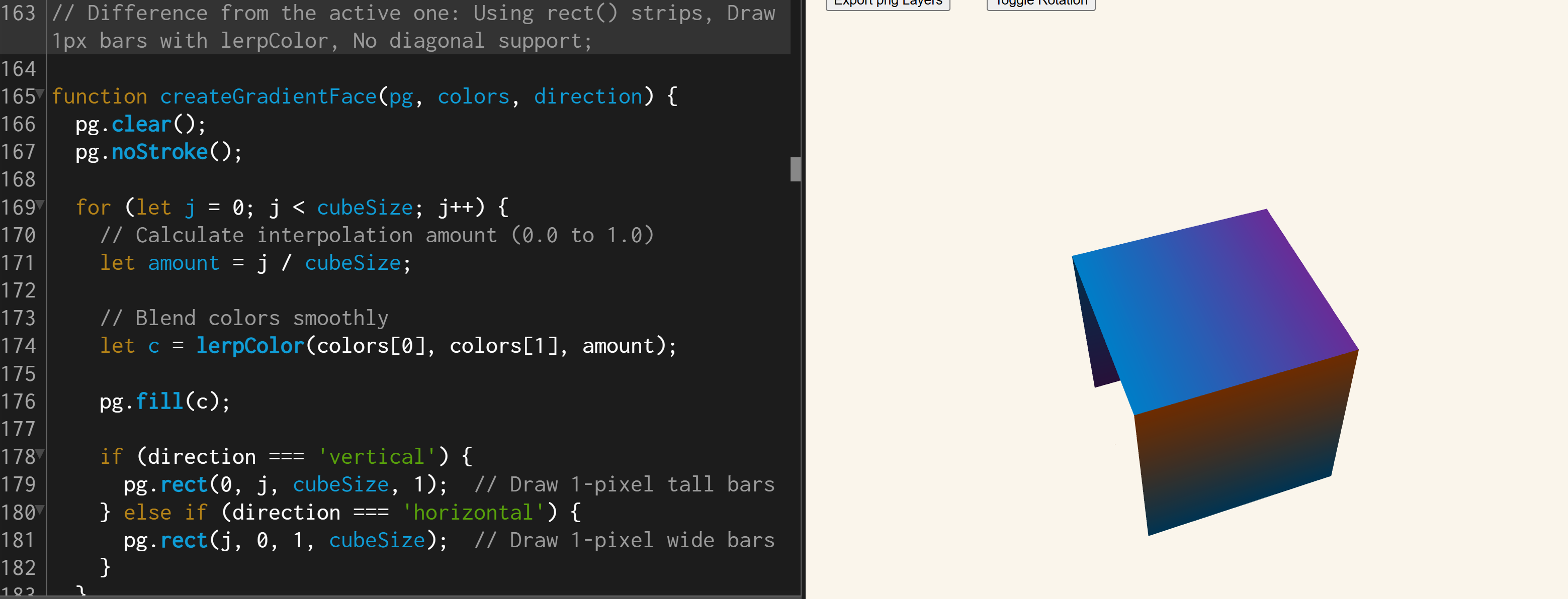
Using lerpColor on rects:
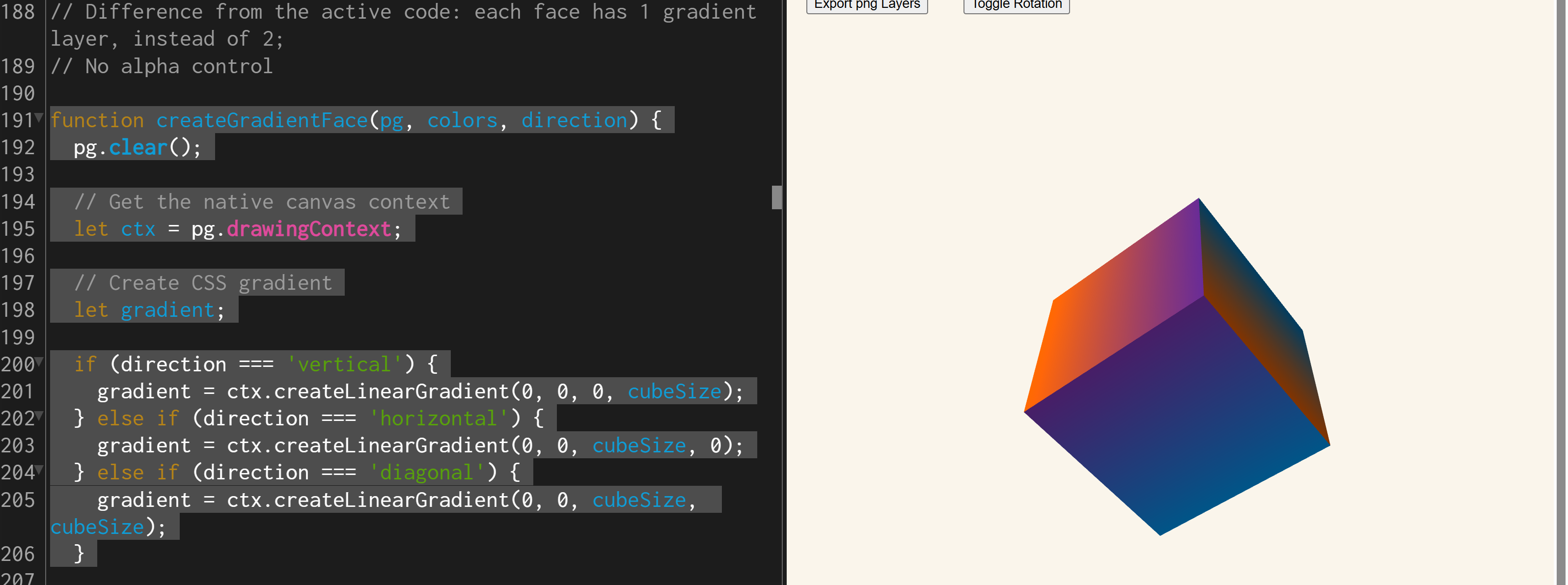
Using single layer, CSS opaque gradient:
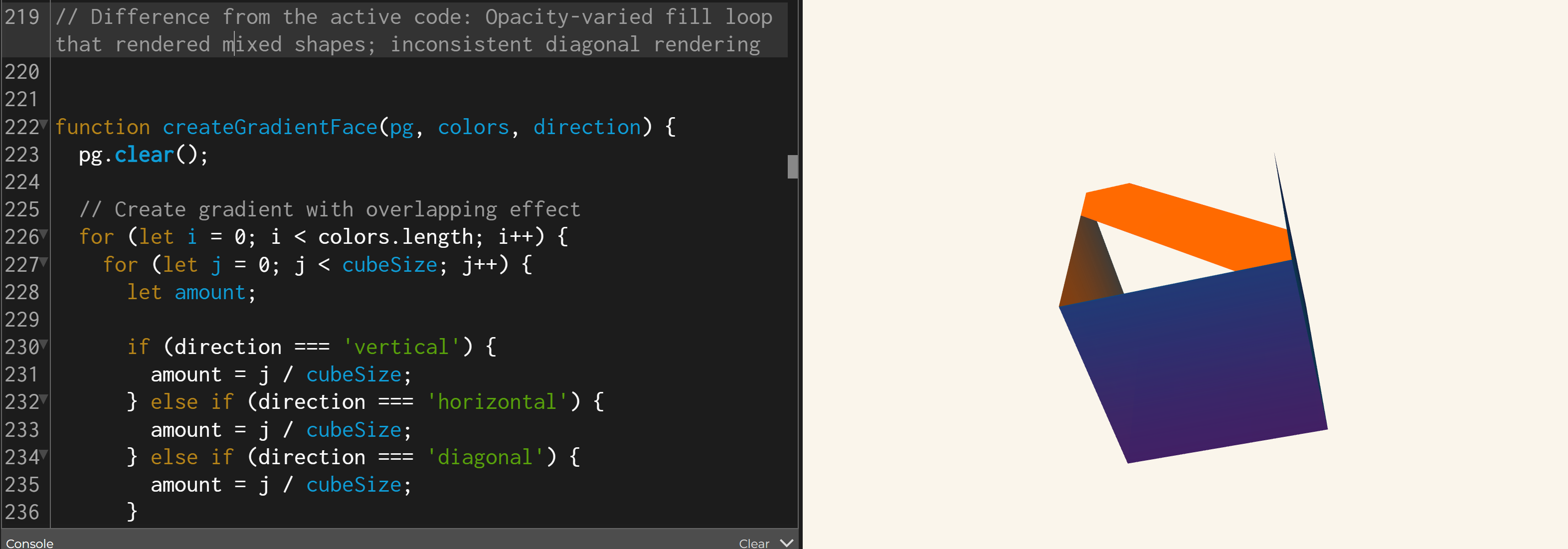
Using lots of stripes:
And previous attempt on radial gradation: Harder edges and not fully covering the surface
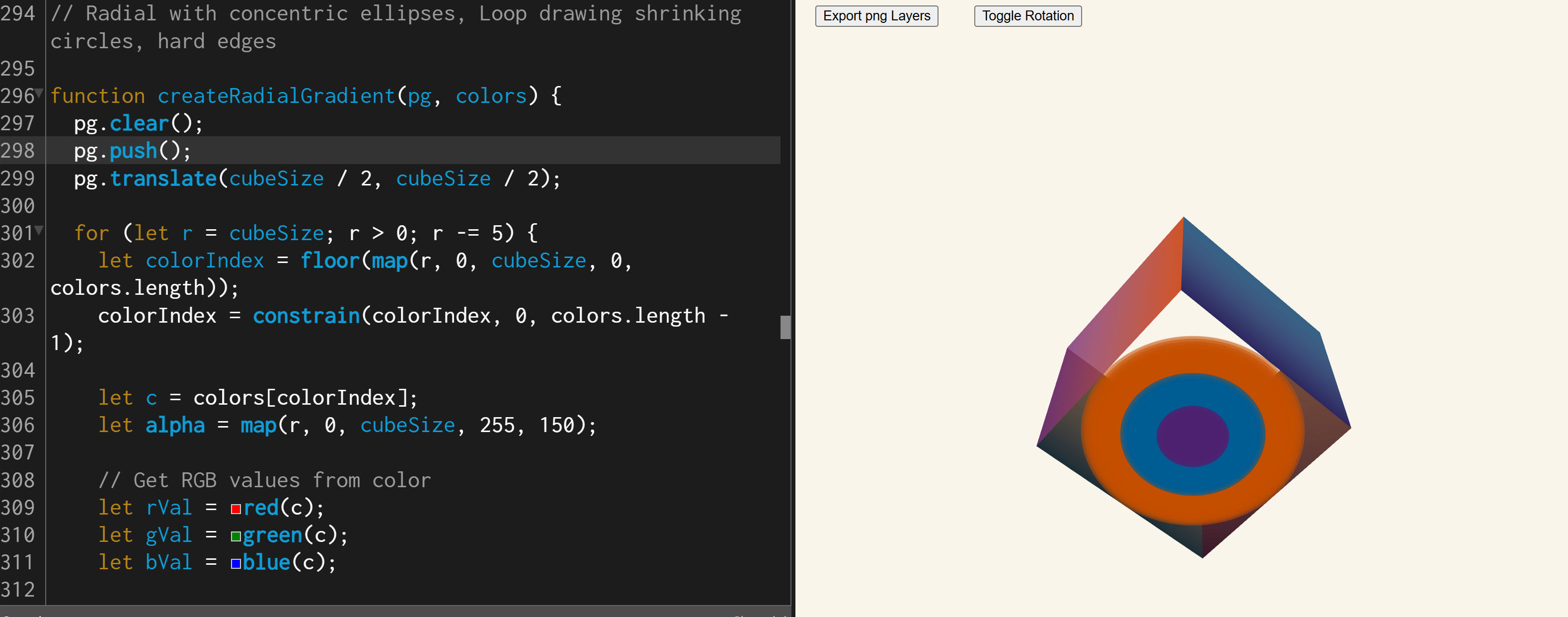
Use vertex for any forms
There was also a commented out version for drawTexturedCube, that used plane(). The problem with it is that when using translate() + rotateY() + plane(), p5.js automatically assigns UV coordinates to the plane’s corners. But after rotating, those automatic UV assignments can be hard to follow, eg
translate(0, 0, -cubeSize / 2); // move backward
rotateY(PI);                     // spin 180°
plane(cubeSize, cubeSize);       // draw here
After rotating 180° around Y, the automatic UVs that p5.js assigns to the plane’s corners get mirrored and the texture appears backwards.
With vertex method, instead of moving/rotating to place the face, you directly tell p5.js the exact 3D position of each corner, AND exactly which part of the texture maps to that corner:
Each vertex() call = "place this corner of the face at this 3D point,
                      and use this part of the texture here"

vertex(-s, -s, s,    0,       0)
        ↑           ↑
   3D position    Texture coordinate (top-left corner of texture)

vertex(s, -s, s,    cubeSize, 0)
        ↑            ↑
   3D position    Texture coordinate (top-right corner of texture)
Visualized:
Texture (gradient image):        Face in 3D space:
(0,0)--------(200,0)             (-s,-s,s)------(s,-s,s)
  |  gradient  |          →          |  gradient  |
(0,200)-----(200,200)            (-s, s,s)------(s, s,s)

  ↑ You control EXACTLY            ↑ You control EXACTLY
    which UV goes where               where each corner is
And vertex can be applied to any shapes other than cubes.
Lighting and normals
Each face of the cube has its normal set explicitly before drawing, and without explicitly setting it, the cube looked darker and lighter unnaturally across rotation.
// FRONT FACE — faces toward the viewer (+Z direction)
normal(0, 0, 1);

// BACK FACE — faces away from the viewer (-Z direction)
normal(0, 0, -1);
Visually:
          ↑ (0,-1,0) TOP

(-1,0,0)  ←  [CUBE]  →  (1,0,0)
LEFT                      RIGHT

          ↓ (0,1,0) BOTTOM

(0,0,1) toward you  =  FRONT
(0,0,-1) away       =  BACK
How Normals Affect Lighting:
The code uses two light sources:
ambientLight(100);                              // Flat, directionless base light
directionalLight(255, 255, 255, 0.5, 0.5, -1); // White light coming from front-right
For the directional light, the brightness of each face is calculated using the dot product of:
- The face’s normal vector
N - The light direction vector
L
Brightness = N · L = (Nx × Lx) + (Ny × Ly) + (Nz × Lz)
Real example with the cube:
The light direction is (0.5, 0.5, -1) — coming from the front-right-top.
| Face | Normal | Dot product with light (0.5, 0.5, -1) |
Result |
|---|---|---|---|
| Front | (0,0,1) |
0×0.5 + 0×0.5 + 1×(-1) |
-1.0 → dark |
| Back | (0,0,-1) |
0×0.5 + 0×0.5 + (-1)×(-1) |
+1.0 → bright |
| Right | (1,0,0) |
1×0.5 + 0×0.5 + 0×(-1) |
+0.5 → medium |
| Top | (0,-1,0) |
0×0.5 + (-1)×0.5 + 0×(-1) |
-0.5 → dim |
The closer the dot product is to +1, the more the face is pointing toward the light → brighter. The closer to -1, the face is pointing away → darker (ambient light kicks in as a floor).
Buffer as a texture
Sample code:
let buffer_texture;
let buffer_dim = 400

function setup() {

	createCanvas(400, 400, WEBGL);

	buffer_texture = createGraphics(400, 400)
	createTexture()
}

palette = ["#0077e1", "#f5d216", "#fc3503"]

function createTexture(){
	shuffle(palette, true)
	buffer_texture.background(palette[0])
	buffer_texture.strokeWeight(100)
	for(let x = 100; x < 400; x+=100){
		for(let y = 100; y < 400; y+=100){
			buffer_texture.point(x, y)
		}
	}
}

function draw() {
	background(220);

  rotateZ(frameCount * 0.01);
  rotateX(frameCount * 0.01);
  rotateY(frameCount * 0.01);
  //pass image as texture
  texture(buffer_texture);
  box(100);
}
Alpha
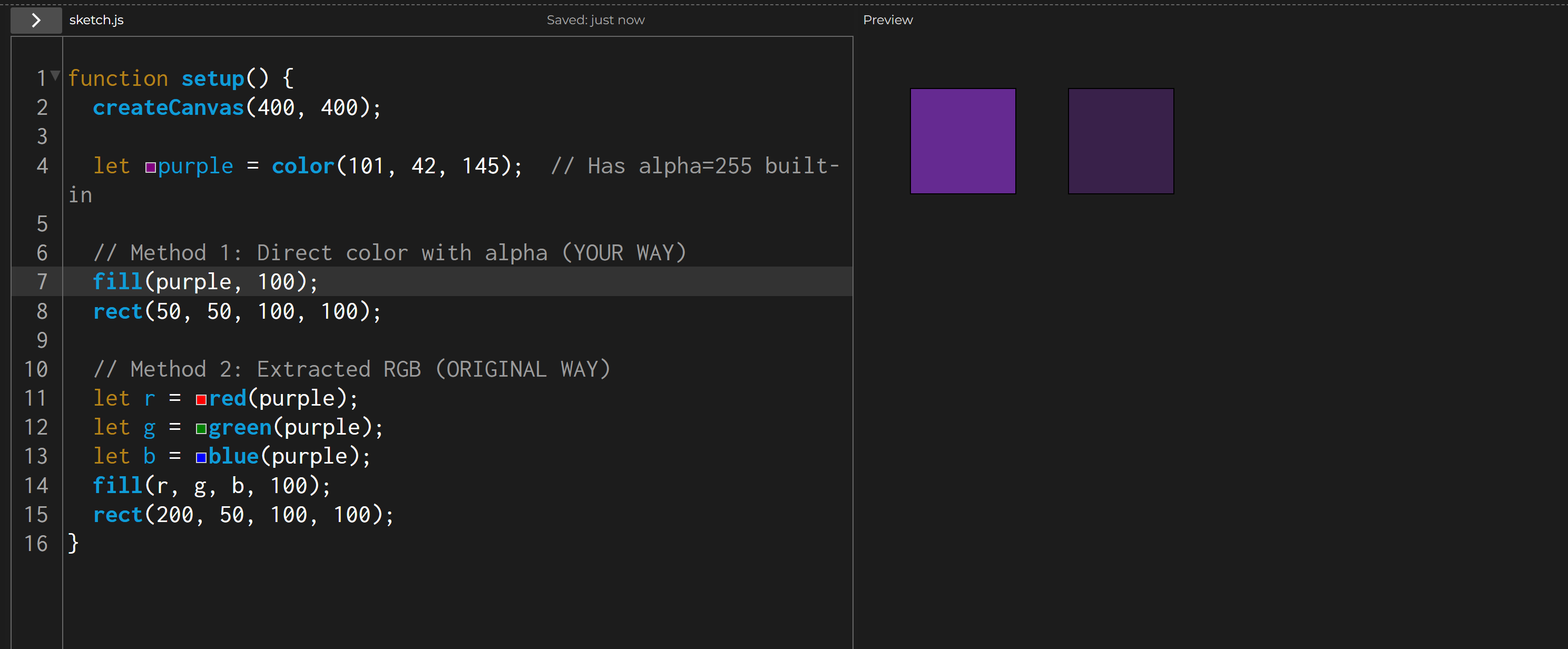
Mindful when using alpha, as it’s only reflected when color is given in terms of r, g, b
Shader ver.
I tried the same design using shader as well:
https://editor.p5js.org/imrinahru/sketches/UyZNR9p6c