The most fun part of using an open-source tool, is to be able to fix and change an issue while using that tool. When I started using Processing, and later p5.js, I couldn’t believe I’d one day be able to contribute to the source code. The journey was full of encounters, generous help and support, and lots of learnings and sense of fulfilment. You won’t regret taking up this journey. But first thing first, how do we begin? Here’s a summary of my 101 lesson from the community that helped to get things rolling.
Below contents almost entirely comes from the information session held by p5.js editor, Rachel Lim, as well as an 1on1 conversation we had afterwards. It was inspiring and beginner-friendly to say the least.
Overview
About Open-Source
A comprehensive definition that most people might not be aware of: https://opensource.org/osd
1. Free Redistribution
Anyone can give away or sell the software freely, without paying fees.
2. Source Code
The actual code must be available, so people can read, modify, and share it easily.
3. Derived Works
People are allowed to change the software and share their modified versions.
4. Integrity of the Author’s Source Code
Authors can require that modified versions be labeled differently, but they can’t stop people from sharing changes.
5. No Discrimination Against Persons or Groups
The license must treat everyone equally—no one can be excluded.
6. No Discrimination Against Fields of Endeavor
The software can be used for any purpose (business, research, etc.).
7. Distribution of License
Everyone who gets the software automatically gets the same rights.
8. License Must Not Be Specific to a Product
The rights don’t depend on how or where the software is packaged.
9. License Must Not Restrict Other Software
It can’t force other software distributed with it to be open source too.
10. License Must Be Technology-Neutral
The rules can’t depend on any specific technology or interface type.
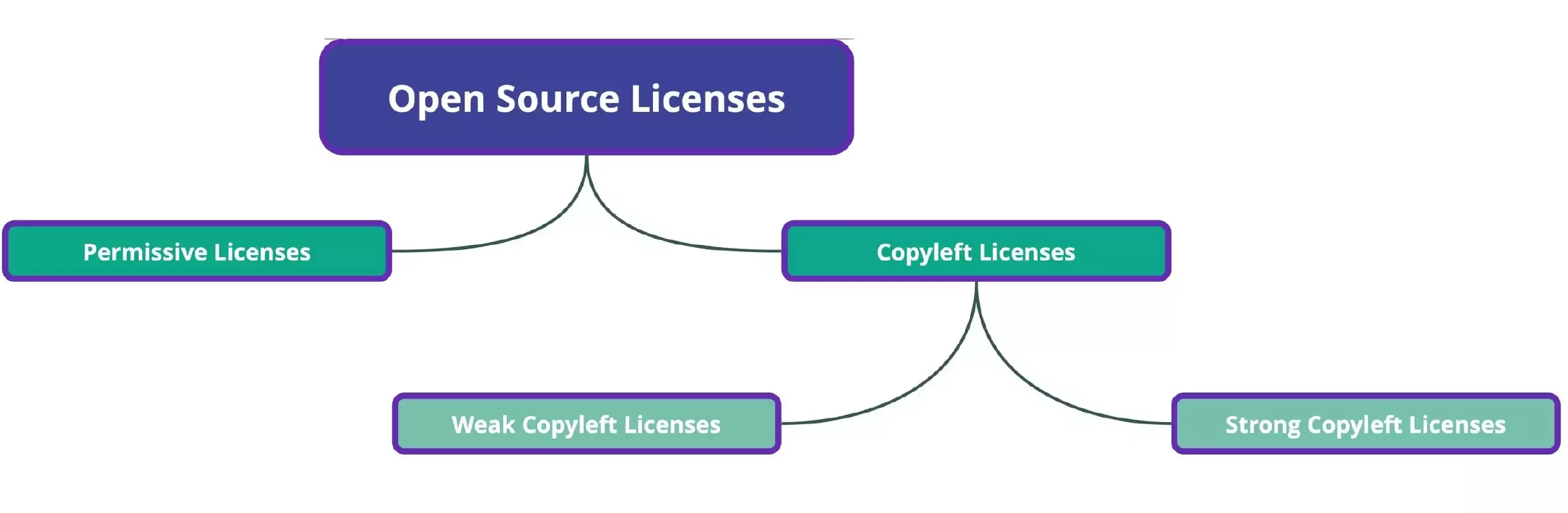
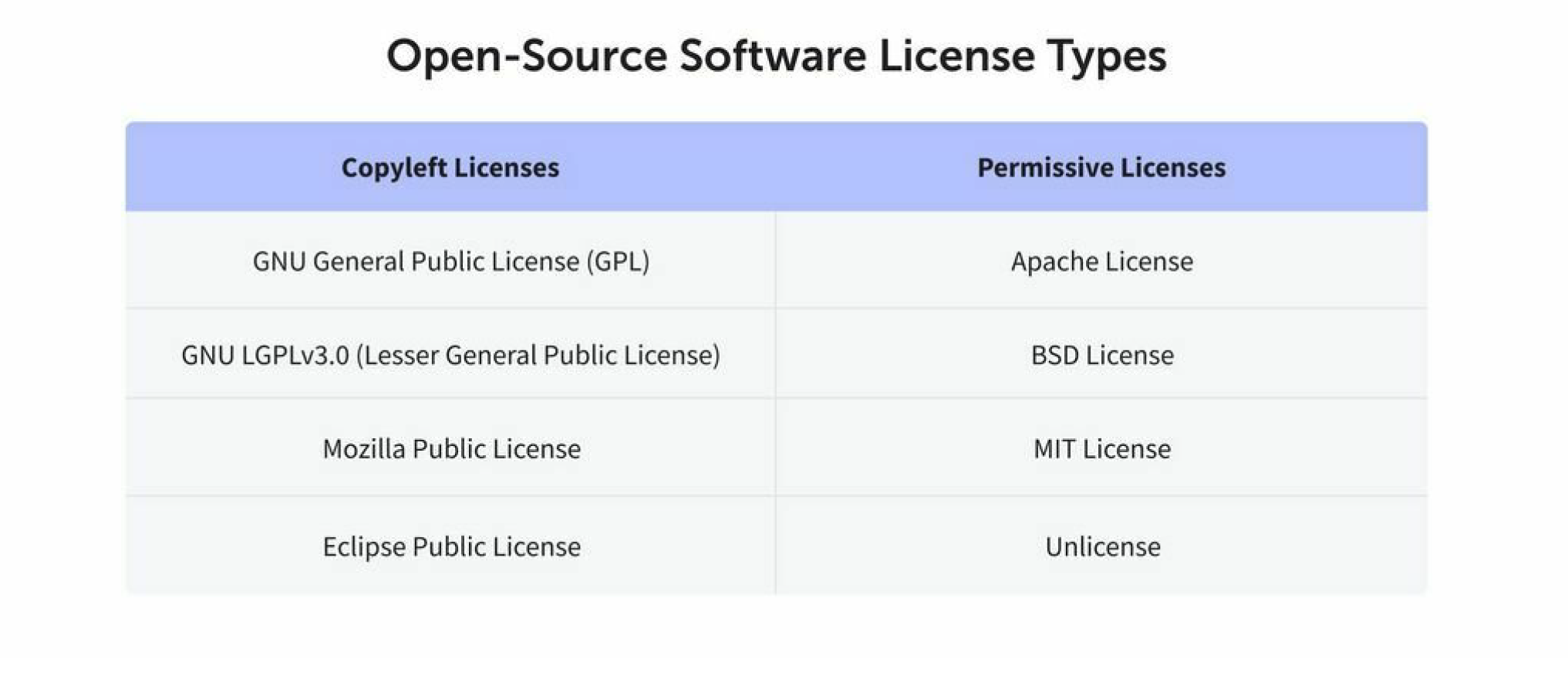
Copyleft licenses require that any modified version of an open source project also be released under the same license as the original project. A strong copyleft license requires that any software that uses a project licensed under it must also be licensed in the same way. Weak licenses have no requirements for software that only use the licensed project. Permissive licenses do not put restrictions on people modifying or redistributing a project, as long as it’s credited properly
![[open-source eras.png]] From p5.js slideshow
![[FLOSS history and a debate.png]] ![[a debate.png]] From https://www.flickr.com/photos/fidelman/4523518468/in/photostream/, an argument frozen at 16 years ago
FLOSS: Free, Libre, and Open Source Software
A must read: https://medium.com/processing-foundation/processing-and-floss-d35aa4607f4c
Processing and p5.js
Processing is a flexible software sketchbook and a language for learning how to code.
How could they make programming more accessible to designers and artists? And what would it look like for code to become both a creative medium and part of the creative process itself? “
p5.js is a JavaScript library for creative coding with a focus on making coding accessible and inclusive.
“What would Processing look like if it were reinvented today?”
Another must read: https://eyeondesign.aiga.org/processing-the-software-that-shaped-creative-coding/
One of the things I felt early on with p5 is that it wasn’t just about having a diverse community of users; it was really about asking who’s making the tool, who’s contributing to it, because any tool is going to be embedded with the biases and the perspectives of the people making it.
Contributions Over the Years
Processing Contributions Repository p5.js Github Repository PF Fellowships
How to Contribute?
An Open-Source Project
Example: https://github.com/processing/p5.js-web-editor
Platform Like Github LICENSE [[#About Open-Source]] README a title, description, list of features, instructions on how to use a project, ancillary technologies, and collaborators. Code of Conduct A Code of Conduct is a written set of rules and standards for those who interact with a project Documentation Documentation for a project entails more in-depth information on how to use or contribute to it, and are mostly written in Markdown: - How to setup a local environment - Diagrams of the project’s infrastructures - Guidelines for providing translations Refer to: https://github.com/variar/klogg/blob/master/DOCUMENTATION.md
Activities
Forms of Contribution
https://allcontributors.org/docs/en/emoji-key
Setting up
https://github.com/processing/p5.js-web-editor/blob/develop/contributor_docs/installation.md
Creating an Issue
A good issue should be as descriptive as possible. Include information like:
- Version Number
- Browser
- Expected vs. Real Behavior
- Steps to Reproduce
- Supplementary Media (images, videos, links) Example
Reviewing Contributions
You can review contributions by “triaging issues”, or adding labels and deleting duplicates. An important label to add is a “Good First Issue”, which indicates issues that newcomers could easily work on. ![[Pasted image 20251109101133.png]]
Writing a Pull Request
Pull Requests are a feature that allows a repository’s collaborators to review and give feedback on proposed code changes before they are accepted and merged into another branch.
An example: https://github.com/processing/p5.js-web-editor/pull/3497
Workflow for Contributing Code
![[assets/img/Github diagram1.png]] ![[github diagram.png]]
- Browsing through issues on Github to find an issue or open an issue.
- Forking the Repository.
- Creating a local copy of your forked project. For today’s workshop, you can use Github Desktop for this!
- Planning any relevant material.
- Adding your changes using a Text Editor (i.e. VS Code, Brackets, Sublime).
- Committing and pushing the changes to your forked repository
- Creating a pull request to the original repository
- Revising your pull request based on feedback
- Rejection
- Should I use forking, cloning, adding brunch together all the time? They sound like duplicating, duplicating, then duplicating
- What is “adding upstream remote”?
- Can we always use Github desktop for creating a local copy? or is there a better way to do this?
- What is mongoDB, when I’ll use it?
Access localhost 8000
- Go to the folder where your cloned code lives
cd C:\Users\rinac\Documents\p5.js\00_Community\p5.js-web-editor\p5.js-web-editor> - make sure npm is installed
npm install - Start npm
npm start - Access http://localhost:8000/ when you see the dialogue below
webpack 5.94.0 compiled successfully in 100320 ms - To end, enter ctl+c in console
Things you can do
Community Management
What information should be communicated to new contributors? What improvements could be made to public messaging? How to handle Github discussions or the Wiki? Better areas of discussion? Mock response to different scenarios Create new issue documentation How to handle translations?
Code/design Contribution
Open an Issue for Missing Translations for About Page Investigate improvements for File Management / Structure Creating a Pull Request for a Good First Issue Convert Components to use ‘styled-components’ Accessibility Testing Open New Issues for Styling Bug Fixes
Slides & media
- ![[introduction-to-open-source.pdf]]
Links
- https://docs.github.com/en/get-started/learning-about-github/github-glossary Github glossary
- https://www.ashedryden.com/blog/the-ethics-of-unpaid-labor-and-the-oss-community On free labor
- https://discourse.processing.org/ PF discourse
- https://github.com/processing/p5.js-web-editor/wiki wiki
- http://github.com/processing/p5.js-web-editor/discussions discussions